




Digital Orthodontics: CAD/CAM Workflow Explained
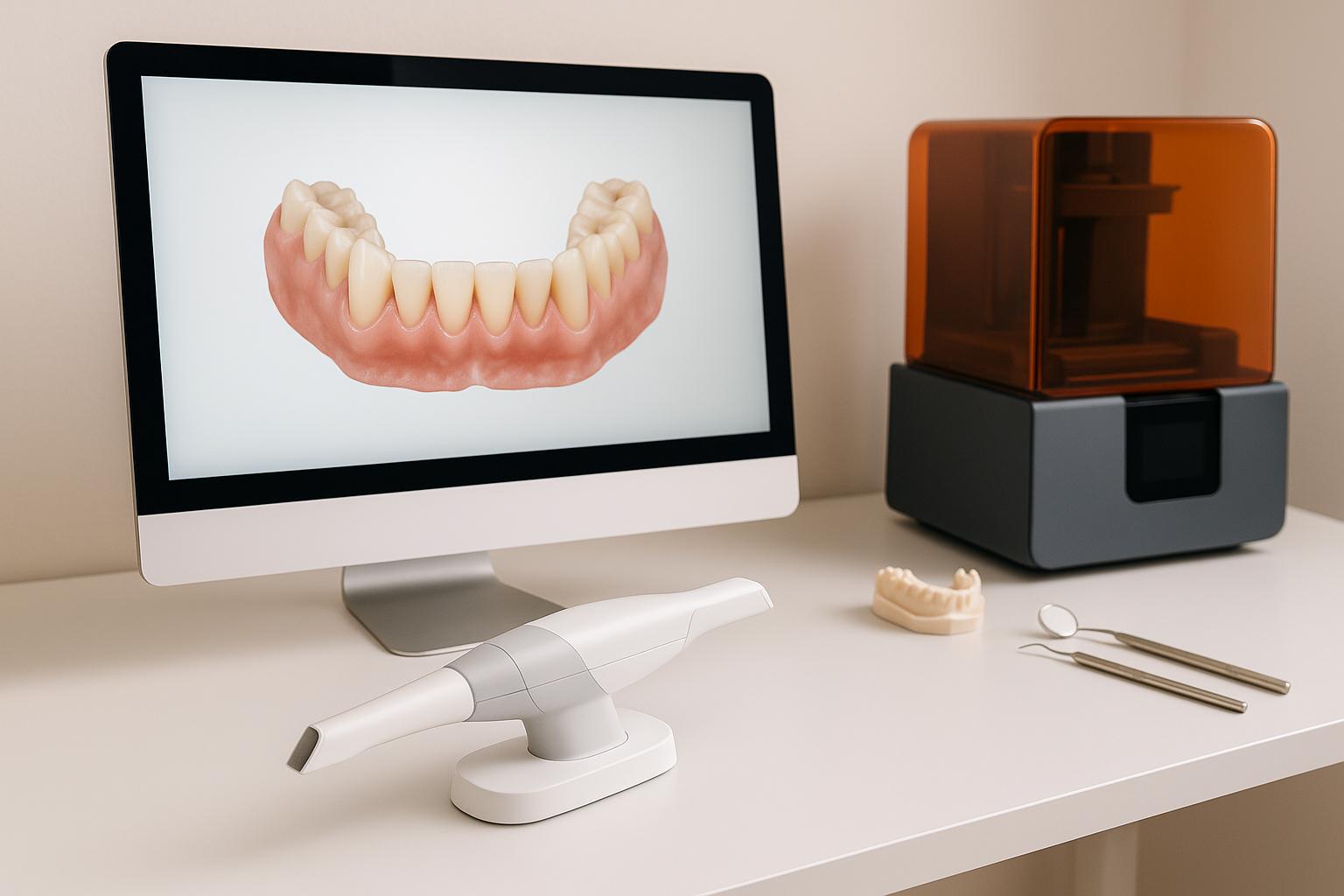
Orthodontics has shifted from manual methods to digital workflows using CAD/CAM (Computer-Aided Design/Manufacturing) technology. This system improves how treatments are planned and appliances are created. Here’s a quick breakdown:
- Step 1: Scanning – Intraoral scanners replace messy impressions, capturing precise 3D models of teeth and gums in seconds.
- Step 2: Planning – Digital software helps orthodontists position brackets virtually, plan tooth movements, and integrate CBCT imaging for complex cases.
- Step 3: Design – Tools like indirect bonding trays, mini-implant guides, and aligners are customised using 3D models.
- Step 4: Manufacturing – Appliances are produced with 3D printing or milling, ensuring accuracy and faster turnaround times.
- Step 5: Delivery – Digitally fabricated appliances simplify placement and allow for ongoing treatment monitoring.
This workflow ensures precise appliance fit, reduces treatment time, and improves patient comfort.
Orthodontics scan workflow using Maestro 3D
What is CAD/CAM Technology in Orthodontics
CAD/CAM stands for Computer-Aided Design and Computer-Aided Manufacturing, and it has completely changed the way orthodontic treatments are planned and carried out. CAD involves using specialised software to create and manipulate 3D images of a patient’s dental arches. CAM takes these digital designs and uses them to manufacture custom orthodontic devices through advanced techniques like 3D printing or milling [2].
The digital workflow in orthodontics relies on three core steps: capturing detailed 3D models using intraoral scanners, using orthodontic software to visualise and plan treatments with precision, and finally, fabricating appliances or models through 3D printing or milling. These steps replace the traditional, time-consuming manual processes with faster and more precise digital methods.
Unlike traditional workflows, digital systems allow practitioners to share highly accurate digital files (like STL files) that contain exact specifications, significantly reducing the chances of errors. This approach paves the way for a seamless digital process, which we’ll explore further in later sections.
One of the standout features of CAD/CAM technology is its integration with advanced imaging techniques. By combining digital scans with cone beam computed tomography (CBCT) data, clinicians can assess both the crowns and roots of teeth in 3D. This makes it possible to position brackets virtually, taking into account each tooth’s unique anatomy and the desired treatment outcomes.
Digital intraoral scanning also offers a more comfortable experience for patients by eliminating the need for traditional putty impressions. In many cases, this technology allows complex procedures to be completed in a single appointment instead of requiring multiple visits, saving time for both patients and clinicians.
Additionally, CAD/CAM enables the creation of a wide range of custom orthodontic appliances. These include clear aligners, indirect bonding trays, customised fixed appliances, mini-implant guides, and retainers – all designed to exact specifications for better fit and performance.
Main Benefits of CAD/CAM in Orthodontics
One of the key advantages of digital workflows is their precision. By overlaying CBCT data with intraoral scans, clinicians gain a detailed 3D view that shows both the crowns and roots of teeth – something traditional 2D radiographs simply can’t provide. This allows for more accurate virtual bracket placement and reduces variability, as appliances are created directly from digital designs rather than manual methods.
Efficiency is another major benefit. With digital design, adjustments can be made instantly if needed, without requiring new physical impressions or additional lab work. Digital files are also easily stored for future use, significantly cutting production times and even enabling same-day restorations in some cases.
For aligner therapy, the process is even more streamlined. Transition models for 3D printing are automatically generated, allowing each aligner in the series to be precisely planned. Typically, aligners are worn for about two weeks, with each one contributing to controlled tooth movements. The digital workflow also helps optimise factors like force direction and bracket angles, leading to more predictable results.
The integration of CBCT imaging is particularly valuable for complex cases. It ensures that treatment plans address not only the visible surface of the teeth but also the underlying bone structures. This level of detail improves outcomes and makes it easier to handle challenging cases.
Better communication between orthodontists and dental labs is another benefit of CAD/CAM technology. Digital files eliminate the need for physical impressions and handwritten instructions, reducing the chances of errors and making collaboration smoother. For retainers, 3D-printed models ensure a precise fit from the start, minimising the need for adjustments after manufacturing.
Step 1: Digital Data Acquisition and Scanning
In the world of CAD/CAM, the first step – capturing accurate digital data – is critical. This process lays the groundwork for effective treatment planning and the creation of orthodontic appliances, minimising errors and avoiding the need for remakes.
Intraoral Scanning Techniques
Intraoral scanners have revolutionised how orthodontists collect patient data. By directly scanning the patient’s mouth, these devices create precise 3D digital models, removing the need for messy, traditional putty impressions.
Take the TRIOS system, for example. It captures the upper and lower arches along with the patient’s bite relationship in just 5–10 seconds [1][8]. Compare that to older methods, which involved multiple appointments and longer turnaround times [8].
The scanner’s ability to map the exact shape of teeth and surrounding tissues ensures accuracy. Plus, it provides immediate feedback, so any missed areas can be rescanned right away. The data is then converted into STL files – a universal digital format used throughout the orthodontic workflow [1]. These files are imported into CAD software like OrthoAnalyzer, where they’re further refined for treatment planning [1].
To achieve the best results, scans must capture the entire dental arch, gingival margins, and bite alignment without gaps or distortions. For patients with existing orthodontic appliances, removing archwires and molar tubes beforehand ensures the scanner picks up the true positions of the teeth [2].
While intraoral scanners focus on surface details, advanced imaging methods add another layer of precision.
Role of CBCT Imaging
CBCT imaging complements intraoral scans by revealing what lies beneath the surface – bone structures, root positions, and other anatomical details vital for more complex cases.
CBCT produces 3D volumetric data, offering insights that surface scans can’t provide. When combined with intraoral scans, the result is a fully integrated digital model. For instance, CBCT data can be overlaid onto the intraoral scan to align root axes with crowns, providing a level of detail that traditional methods simply can’t match [1][3].
This combined approach is especially helpful when planning mini-implant placements. CBCT allows orthodontists to pinpoint the T-zone in the palate – the ideal spot for implant insertion – and map out the placement virtually before proceeding [3]. The integration of CBCT and intraoral scan data gives a complete view of both the dental and skeletal anatomy, enabling more precise treatment planning.
CBCT data is stored in DICOM files, which can be imported into the same CAD software used for intraoral scans. This allows orthodontists to manipulate both datasets simultaneously, creating a comprehensive 3D representation of the patient’s anatomy.
That said, not every case requires CBCT imaging. For routine orthodontic treatments, intraoral scans alone are often enough. However, for cases involving impacted teeth, severe skeletal discrepancies, or mini-implant planning, the extra detail from CBCT is invaluable.
Ensuring Data Quality
The accuracy of the initial scans is crucial because every step that follows depends on it. Poor-quality scans or corrupted STL files can lead to flawed treatment plans and poorly fitting appliances.
Before moving to the design phase, the STL files must be checked for proper alignment and spacing [8]. This quality control step ensures that any issues are caught early, saving time and resources.
High-quality scans should capture all essential anatomical details with clarity and resolution. They must clearly show surface textures and bite alignment to support accurate virtual treatment planning and appliance fabrication [5]. If any part of the scan is incomplete or distorted, the patient should be rescanned to ensure comprehensive data coverage.
It’s also important to verify that the STL files are compatible with the CAD software being used. Different scanners may produce files with varying formats or resolutions, so confirming compatibility prevents workflow disruptions.
While digital scanners eliminate many of the distortions associated with traditional impressions, they’re not immune to errors. Factors like patient movement, saliva, or poor lighting can affect scan quality. Optimising scanning conditions and verifying the data at the outset reduces the risk of downstream issues. When intraoral and CBCT data are combined, the resulting digital models can be used confidently for virtual bracket placement, appliance design, and manufacturing.
One major advantage of intraoral scanning is its speed. The 3D images can be sent to the lab’s design team immediately [8], significantly shortening the treatment timeline compared to traditional methods that required physical impressions to be shipped and processed.
Step 2: Digital Model Creation and Treatment Planning
This stage takes the high-quality digital scans and transforms them into a detailed treatment plan. By combining clinical expertise with advanced digital tools, orthodontists can map out every step of treatment before creating any physical appliances.
Digital Model Segmentation
Once the STL files from the intraoral scanner are uploaded into specialised CAD software – like OrthoAnalyzer by 3Shape or Ortho Studio – the creation of a functional digital model begins. It’s not just about visualising the scan; the software processes the data to produce precise 3D models of the upper and lower dental arches [1][7].
Segmentation is a key part of this process. It separates each tooth from the surrounding gum and bone structures, enabling independent manipulation. This step also involves defining the occlusal plane – a critical reference point for assessing bite alignment. Why is this so important? Because it allows orthodontists to simulate detailed tooth movements. They can virtually rotate, tilt, or reposition teeth to predict how these adjustments will affect the bite and aesthetics. Without segmentation, accurate treatment planning or custom appliance design wouldn’t be possible [1][7].
The software also generates digital bases for the models, creating a stable foundation for the virtual teeth. If needed, these bases can be 3D-printed, bridging the gap between digital and physical workflows [1].
Modern CAD platforms further streamline this process. Features like automatic anatomy detection help identify tooth boundaries and occlusal planes, reducing the time spent on manual adjustments while maintaining precision [5]. Real-time occlusion checks catch potential alignment issues early, ensuring bite relationships are correct before moving forward [5].
With the digital model refined, the next step is to position brackets virtually, bringing the treatment plan to life.
Virtual Bracket Placement
Once the digital model is ready, brackets are positioned virtually, marking a pivotal step in treatment planning.
Orthodontic software allows for precise placement of brackets on each tooth surface, down to the millimetre. Orthodontists can adjust bracket height, angulation, and rotation in 3D to ensure the applied forces move teeth as intended, avoiding unwanted side effects like tipping or rotation [1][2].
A major advantage here is the ability to choose specific bracket systems from the software’s library. Whether a particular manufacturer’s brackets or prescription is required, the software replicates their exact design, ensuring the digital plan aligns perfectly with the clinical application [2].
This virtual setup also allows for easy adjustments. If initial placements don’t produce the desired results, changes can be made instantly – eliminating much of the trial-and-error associated with traditional methods. Measurement tools in the software help ensure root parallelism, a key factor for stability and efficient treatment. Aligning brackets with root positioning reduces treatment time and enhances long-term outcomes [1][2].
Additionally, the digital plan can be saved for future reference. Whether appliances need to be remade or a similar case arises, the archived virtual model provides a reliable starting point [5]. This precise bracket positioning sets the stage for integrating CBCT data for even more advanced planning.
Advanced Planning with CBCT Integration
For more complex cases, CBCT data integration takes treatment planning to the next level.
When CBCT data – stored as DICOM files – is combined with the digital dental model, orthodontists gain a complete 3D view of crowns, roots, and surrounding structures. This integration provides critical information, such as root angulation, bone density, and proximity to anatomical features [1][2][3].
This detailed view is particularly useful for planning mini-implant placements. Visualising bone structures and root positions ensures precise placement, reducing risks and improving outcomes. For cases involving impacted teeth or skeletal discrepancies, CBCT integration offers clarity that traditional methods can’t match.
The software merges intraoral scans and CBCT imaging into a unified model, making it easier to anticipate challenges and adjust the treatment plan before clinical work begins [1][2][3].
Once the digital model and bracket placements are finalised, the treatment plan moves into the design phase. This meticulous planning ensures that any appliances fabricated from the digital files will fit perfectly, enhancing efficiency and patient satisfaction [2][3]. The digital workflow also improves communication with patients. Virtual models can visually demonstrate proposed outcomes, helping patients better understand the treatment process.
For practices in Australia, like Complete Smiles Bella Vista, embracing these advanced digital workflows demonstrates how cutting-edge technology can elevate everyday orthodontic care [1][2][3].
sbb-itb-2be92ed
Step 3: Custom Appliance and Guide Design
With the digital model refined and virtual brackets in place, the next step is crafting physical tools – transfer trays, guides, and appliances – customised for each patient.
Designing Indirect Bonding Trays
Indirect bonding trays are precision tools that help orthodontists place brackets accurately without the need for traditional chairside bonding. Using the virtual bracket positions established earlier, CAD software designs these trays with remarkable accuracy.
The process starts with the finalised digital model. Brackets are positioned down to millimetre precision, and platforms like OrthoAnalyzer by 3Shape or UPCAD generate tray designs that perfectly replicate these bracket placements [1][2]. This ensures consistent angulation, torque, and in-out positioning, streamlining treatment and minimising adjustments during appointments.
The software includes virtual libraries of bracket systems, complete with their exact specifications. This ensures that the digital design aligns perfectly with the physical brackets used in treatment, leaving no room for error [2]. Once the design is ready, it’s exported as an STL file for 3D printing using tools like MoonRay or Sprintray [1]. High-definition 3D printing ensures a snug fit, making the process smoother for both the orthodontist and the patient [2].
Before manufacturing, the design undergoes thorough quality checks. Bracket positioning, angulation, and torque are reviewed against the treatment plan to avoid costly mistakes. This step guarantees that the final tray meets clinical requirements.
The same digital principles are then applied to create precise guides for mini-implant placement.
Creating Guides for Mini-Implants
Mini-implant insertion guides are another critical application of CAD technology in orthodontics. These guides act as templates, ensuring accurate placement of mini-implants and reducing risks during the procedure.
The process begins with an intraoral scan, which is imported into 3D design software. For more complex cases, lateral cephalograms or CBCT imaging are integrated with the model to pinpoint the best implant locations [3]. This allows orthodontists to assess bone quality, root positions, and other anatomical factors before creating the guide.
The T-zone, located in the central palate, is often chosen for its strong bone quality and low rates of implant instability [3]. Using the software, orthodontists can virtually place the mini-implants and design a guide that facilitates both insertion and pre-drilling if needed [3].
Hygiene and functionality are key considerations in the guide’s design. Features like the "triple tube" connection in digital Benesliders ensure easy cleaning while maintaining stability [3]. Once finalised, the guide is 3D-printed in durable material, giving orthodontists confidence in achieving precise, efficient implant placement. This digital workflow streamlines the process, often allowing mini-implant insertion and appliance fitting in a single appointment [3].
Building on these guides, CAD/CAM systems also enable the creation of various tailored orthodontic appliances.
CAD-CAM Appliances
The CAD/CAM workflow extends beyond trays and guides, enabling the design and production of a wide range of orthodontic appliances, such as aligners and retainers.
Custom aligners are crafted using virtual treatment plans. Teeth are digitally segmented and moved to their desired positions, with photos and X-rays aiding the planning process [7]. The software then generates a series of transition models that represent incremental tooth movements. These models are exported as STL files for 3D printing [7].
The printed models serve as moulds for manufacturing aligners from durable thermoplastic material. Patients typically wear each aligner for about two weeks [7]. This digital process ensures a precise fit tailored to each patient’s unique anatomy and treatment plan, leading to better outcomes [7].
For retainers, the CAD/CAM process simplifies the design and production. Virtual bracket removal and precise retainer design based on final tooth positions allow retainers to be created and installed in the same appointment [2]. This eliminates the need for traditional impressions with brackets still in place, saving time and improving accuracy [2].
The design process provides complete control over occlusion, aesthetics, and functional details before production begins [6]. AI-powered CAD tools speed up the process while maintaining precision and attention to detail [5]. Additionally, digital designs can be archived for easy reproduction if needed during or after treatment [5].
Specialised designs for molars and sliders focus on balancing mechanical efficiency with hygiene. Features like bonded tube positioning are optimised to minimise plaque buildup, ensuring both effective treatment and patient comfort [3]. These considerations are integrated into the virtual model, creating appliances that are as functional as they are comfortable.
Once designs pass all quality checks, the STL files are sent for fabrication, where advanced manufacturing technologies bring these digital plans to life.
Step 4: Fabrication and Manufacturing
After careful digital planning, the next step is turning those designs into real orthodontic solutions. Once the digital designs pass all quality checks, they move into production. This stage uses STL files to guide CAM (Computer-Aided Manufacturing) software, which creates accurate, custom orthodontic appliances. A critical part of this process is "nesting", where restorations are arranged within the raw material to maximise both material efficiency and production accuracy [5]. This precise manufacturing process ensures smooth clinical delivery and effective treatment monitoring.
3D Printing Technologies
Resin-based 3D printing plays a key role in orthodontic manufacturing, especially for creating models, indirect bonding trays, and transition models used for aligners. For instance, the MoonRay® printer builds structures by curing liquid resin layer by layer, capturing intricate details of the anatomy [1]. STL files are sent directly to the printer, and medical-grade resins are selected for their ability to handle oral conditions like saliva and temperature changes while maintaining biocompatibility [1][2][3].
When it comes to aligners, orthodontic software automatically generates a series of step-by-step models, each exported as an STL file and printed in sequence. These printed models then act as moulds for shaping aligners from durable thermoplastic material. Each aligner is typically worn for about two weeks [7]. On the other hand, metal 3D printing is used for advanced applications like custom orthodontic appliances and mini-implant guides. This technology produces strong, precise metallic parts that can handle the forces needed for tooth movement. The choice between resin and metal printing depends on the clinical requirement – resin is ideal for quick production of models and trays, while metal is better suited for long-lasting, load-bearing appliances [2][3].
Material Selection
Picking the right material is crucial. Medical-grade resins are the go-to choice for indirect bonding trays and diagnostic models because they offer the precision needed for accurate treatment planning and bracket placement, along with excellent biocompatibility [1]. For aligners, hard thermoplastic materials strike a balance between flexibility for gradual tooth movement and rigidity for consistent force application [7]. For custom appliances and mini-implant guides, biocompatible metals and advanced alloys are chosen for their strength and resistance to corrosion [3]. The digital workflow also allows clinicians to customise material type, block size, and tool settings during the design phase, streamlining production [5].
Production Timelines
CAD/CAM manufacturing dramatically reduces production time compared to traditional methods. While conventional denture fabrication can take 6–8 weeks, CAD/CAM processes can complete the job in about a week [8]. Orthodontic appliances like indirect bonding trays and mini-implant guides are often ready within just a few days after design approval. This speed is possible because digital designs go straight to the manufacturing equipment, skipping the extra steps that traditional lab work requires [4][8]. In some complex cases, mini-implant placement and appliance fitting can even happen during a single appointment, making the process more convenient for both patients and clinicians [3].
To maintain high standards, quality control is integrated into every stage. Digital models are reviewed before 3D printing or milling to ensure proper spacing, alignment, and anatomical accuracy. Computer-controlled equipment ensures that the finished product matches the digital design precisely [4][8]. Once the appliances are fabricated, they undergo a final inspection to confirm their dimensions and surface quality. Any necessary adjustments are made before they are delivered for clinical use [7]. With such precision in manufacturing, the focus can then shift to ensuring accurate clinical application.
Step 5: Clinical Delivery and Treatment Monitoring
Once the appliances are crafted and pass quality checks, the focus shifts to clinical application. This involves precise placement of the appliances and ongoing monitoring to ensure the treatment stays on track.
Precise Appliance Placement
The use of digitally fabricated transfer trays and guides has revolutionised how appliances are placed. Custom transfer trays allow brackets to be bonded indirectly in a single, streamlined step, reducing the chances of errors that often occur with placing brackets individually. Research shows these methods achieve placement accuracy within 0.5 mm [3].
Printed guides further enhance precision by ensuring implants are placed at the correct angle and depth. For instance, in the palate’s T-zone, proper placement improves stability. Before bonding or implanting, clinicians verify that the tray or guide aligns perfectly with the patient’s dental arch. Once confirmed, the appliance is positioned with accuracy, cutting down on chair time and improving efficiency.
Digital scanning has replaced the need for traditional impressions, making the process of appliance removal and retainer fabrication smoother. After placement, clinicians rely on digital tools to track progress and make necessary adjustments.
Digital Monitoring During Treatment
Once appliances are in place, digital monitoring ensures the treatment stays aligned with the plan. Tools like intraoral scanners and specialised software capture progress at regular intervals, allowing clinicians to make timely adjustments. This approach has been shown to shorten overall treatment time by up to 20% [7].
Popular tools include intraoral scanners like TRIOS® and 3Shape, paired with orthodontic software such as OrthoAnalyzer® and Ortho Studio. Some systems also integrate with CBCT imaging, providing a comprehensive view of both dental and skeletal changes. For example, periodic scans may reveal if a molar isn’t moving as expected, prompting adjustments to improve alignment.
Digital monitoring offers clear benefits over traditional methods. Scans are more accurate than physical impressions, reducing the need for retakes. The process is quick, non-invasive, and efficient. At the end of treatment, a final intraoral scan allows for direct case submission through professional portals, simplifying record-keeping and follow-ups [9].
From planning and placement to monitoring, this digital workflow highlights the efficiency and precision that define modern orthodontic care.
Conclusion
From the initial stages of data collection to the final delivery of appliances, the CAD/CAM approach revolutionises orthodontic workflows by seamlessly integrating digital scanning, design, and manufacturing.
One of its standout benefits is precision. Digital advancements have transformed the way orthodontists diagnose, plan, and execute treatments. By capturing highly accurate 3D data in seconds, creating virtual appliance designs, and manufacturing them to exact specifications, this technology ensures tailored outcomes that align perfectly with each patient’s anatomy [2].
Another major advantage is efficiency. The streamlined digital workflow reduces the number of appointments and simplifies treatment steps [3]. For patients, this means shorter chair time and a more comfortable experience. For practitioners, it allows for better time management, enabling them to focus on delivering exceptional care.
The result? Better patient experiences. With fewer visits and a more seamless process, patients enjoy greater convenience. Additionally, the ability to visualise treatment plans digitally fosters clearer communication, helping patients understand their journey and boosting their confidence in the process.
For practices contemplating the shift to digital workflows, the investment in CAD/CAM technology and training offers clear benefits. This approach enables the creation of customised appliances using advanced 3D imaging and printing technologies [2]. Many modern CAD platforms even incorporate AI tools, which not only speed up the design process but also enhance the aesthetic quality of the final product [10].
Digital orthodontics marks a transformative leap in how treatments are planned, delivered, and monitored. Practices embracing these technologies are well-equipped to meet rising patient expectations while maintaining top-tier clinical standards. The precision, efficiency, and improved outcomes offered by the CAD/CAM workflow make it a compelling choice for any orthodontic practice striving to achieve the best results.
FAQs
How does CBCT imaging improve orthodontic treatment planning compared to traditional methods?
CBCT (Cone Beam Computed Tomography) imaging plays a vital role in orthodontic treatment planning by delivering detailed 3D visuals of the teeth, jawbone, and surrounding areas. Unlike traditional 2D X-rays, CBCT provides a complete, in-depth view, enabling orthodontists to assess tooth alignment, bone density, and root positioning with greater precision.
This technology allows for highly tailored treatment plans, especially for complex cases like impacted teeth or jaw misalignments. With a clearer picture of a patient’s oral structure, CBCT helps orthodontists deliver care that’s not only more efficient but also more predictable in achieving desired outcomes.
What are the benefits of digital intraoral scanning compared to traditional putty impressions in orthodontics?
Digital intraoral scanning brings a host of benefits to orthodontics, especially when compared to traditional putty impressions. For starters, it delivers superior accuracy, ensuring orthodontic appliances fit more comfortably. By eliminating common issues like distortions or voids that can occur with traditional methods, digital scanning minimises errors and improves results.
Patients also find digital scanning far more comfortable and hassle-free. Unlike the messy and often uncomfortable putty impressions, digital scans are quick, non-invasive, and don’t require physical moulds. Plus, the process speeds things up – digital files can be sent straight to labs, cutting down on turnaround times for appliance fabrication.
In the end, digital intraoral scanning improves both the patient experience and the quality of treatment. It’s no wonder this technology is becoming the go-to choice for modern dental practices across Australia.
How does CAD/CAM technology simplify the creation of custom orthodontic appliances like aligners and retainers?
CAD/CAM technology has transformed orthodontics by making the creation of custom appliances faster and more precise. It all starts with digital impressions, where advanced scanners capture detailed 3D images of a patient’s teeth. This eliminates the need for messy traditional moulds and provides highly accurate digital models.
These models are then used to design appliances like aligners or retainers with an impressive level of detail. Once the design is ready, the data is sent to either a milling machine or a 3D printer to produce the appliance. This approach not only ensures a perfect fit but also cuts down production time compared to older techniques. The result? A smoother, quicker, and more personalised treatment process for patients.
Related Blog Posts
- How Intraoral Scanners Improve Orthodontic Workflows
- CAD/CAM in Dentistry: Cost vs Value
- Digital Workflow vs Conventional Techniques in Prosthodontics
- How 3D Imaging Improves Orthodontic Treatment Outcomes
Important Notice: Any surgical or invasive procedure carries risks. Before proceeding, you should seek a second opinion from an appropriately qualified health practitioner.
Individual results may vary. The information provided in this article is for educational purposes only and does not constitute medical advice.
Checkout Related Blogs



Get in touch with us
For more information, call us now to start feeling better. Or fill the form below to make appointment
The Latest News from Complete Smiles
How to Clean Clear Plastic Retainers
Checklist for Choosing Wearable Dental Devices
Checklist for Choosing Cloud AI Platforms in Dentistry
Complete Smiles Bella VistaAccepts All Major Health Funds, Including